Yesterday’s release post covered the ParparVM performance work. Today’s post is about the tool most iOS developers meet before they ever see their app on a device: the certificate wizard. PR #5339 rewrites it as a standalone desktop app with a different way of talking to Apple.
Why The Old Wizard Kept Breaking
Apple signing needs a pile of interlocking assets: a signing certificate, a bundle ID, registered devices, a provisioning profile that ties the three together, and a push key if you use notifications. The wizard’s job has always been to create all of that so you don’t spend an afternoon in the Apple developer portal.
The old wizard did it by logging in as you. You typed your Apple ID and password, and the wizard drove Apple’s developer services the way a browser would. That approach has an expiry date built in. Apple changes its login flow regularly, added and then kept tightening two-factor authentication, and none of those changes arrive with a heads-up for tools like ours. Every change meant a broken wizard and a scramble on our side. If you ever hit “verification code” loops or a login that silently failed, that was this.
The New Approach: A Key, Not A Login
The new wizard never sees your Apple ID or password. It uses an App Store Connect API key, which is Apple’s official machine-to-machine credential: a .p8 private key plus a Key ID and an Issuer ID, created once in App Store Connect under Users and Access, Integrations. The key authorizes certificate, bundle ID, device, profile, and push key management through Apple’s documented API, the same one Apple’s own tooling uses.
There’s no password to store, no 2FA prompt to intercept, and no login flow to chase. When Apple redesigns their sign-in page next year, nothing on this path breaks.
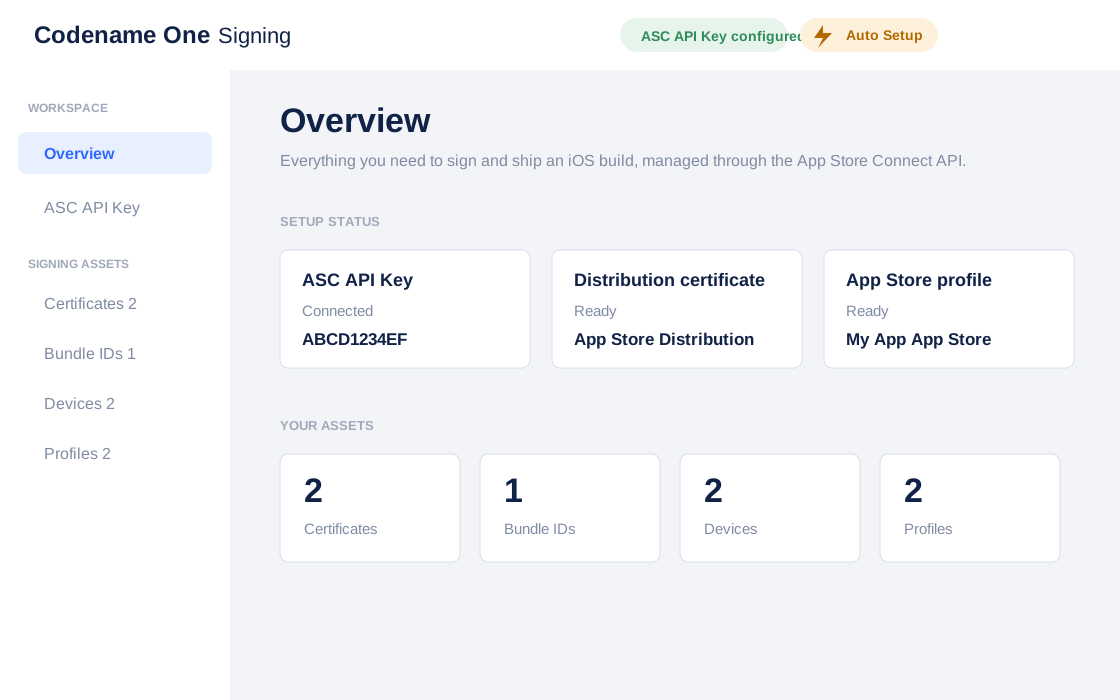
Setup is one page: paste the Key ID and Issuer ID, import the .p8 file with the native file chooser, done. Apple only lets you download the .p8 once, so keep a backup somewhere safe.
Auto Setup
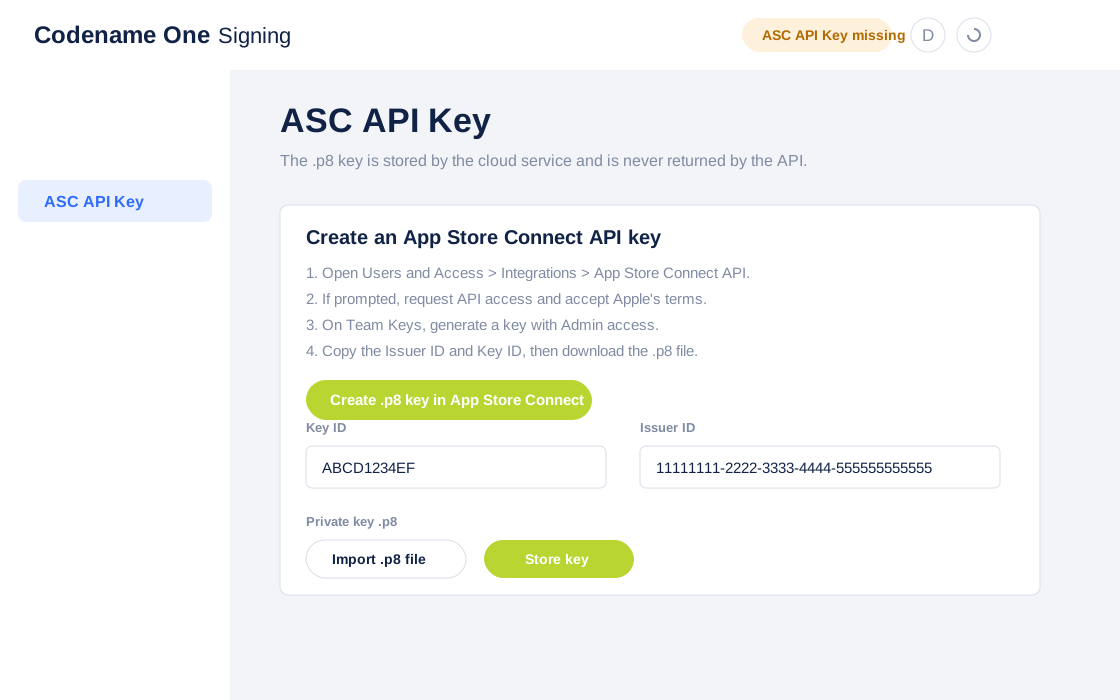
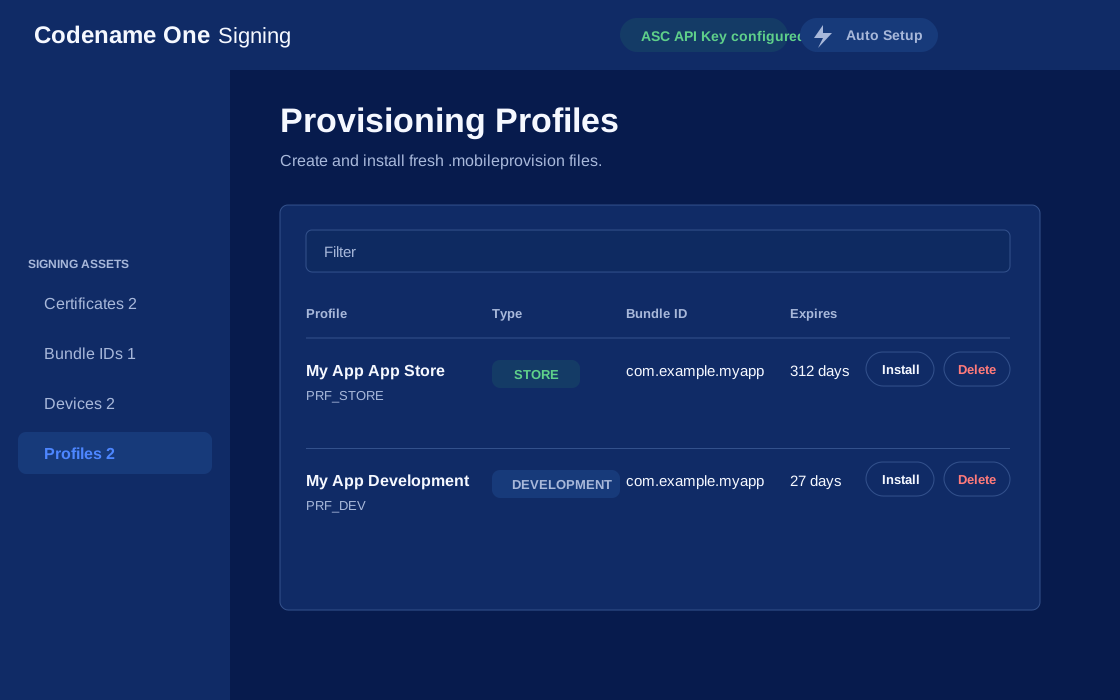
With the key stored, the toolbar shows Auto Setup. It reads your project’s codenameone_settings.properties, takes the package name as the bundle ID, and creates or reuses everything a normal project needs: the bundle ID, development and distribution certificates, development and App Store provisioning profiles, and push enablement. It then installs the downloaded .p12 and .mobileprovision files straight into the project’s debug and release signing settings.
If no development device is registered yet, it defers the development profile, finishes the App Store assets, and picks up where it left off after you add a device. Mac App Store and Developer ID signing use the same key through the same flow.
A Standalone Tool, Bound To Your Project
The wizard used to live inside the Codename One Settings app. It’s now its own application, launched from any Codename One Maven project:
mvn cn1:certificatewizard
The goal resolves the wizard from Maven, launches it against the current project, and writes results back into that project’s settings. It behaves like a real desktop citizen: dark mode, native file dialogs, and it shows up as “Certificate Wizard” in the macOS dock and task switchers rather than as an anonymous Java process.
One detail we enjoy: the wizard is itself a Codename One app. Same framework, same UI toolkit, running as a desktop tool. We keep saying one codebase reaches desktop too, so the signing tool seemed like a reasonable place to prove it.
Android is handled locally, no cloud involved: the wizard generates a self-signed keystore with the JDK’s keytool and writes the keystore path, alias, and password into the project. Back that keystore up. A published Android app can never change its signing key. Windows code signing certificates must come from a certificate authority, so the wizard documents the settings rather than pretending it can issue them.
The Tradeoff
The cost of the new model: the .p8 key is sent to the Codename One cloud signing service, which performs the Apple API calls on your behalf and doesn’t return the key afterward. That’s the same trust you already extend to the build cloud that signs your binaries, but it is trust, and you should know about it. If you revoke the key in App Store Connect, everything stops cleanly and you can issue a new one in two minutes. Use Admin access for the key; the lower App Store Connect roles can’t create certificates and profiles.
Tomorrow’s post covers something entirely different: AR and VR support, including a simulated AR room you can walk through in the simulator with WASD keys. And the same API key you just configured comes back on Monday, when it powers automated App Store submissions.
Discussion
Join the conversation via GitHub Discussions.